Dice Art: How to Make It, Dice Count & Size Chart
Dice art is a mosaic made from ordinary six-sided dice: each die is one pixel, and the face turned up sets its shade. A 50×50 dice portrait uses 2,500 dice and is about 80 cm (31.5 in) wide with 16 mm dice.
What is dice art?
Dice art is a mosaic made from ordinary six-sided dice. Each die is one pixel of the picture, and the face turned up sets its shade. Using black and white dice together gives 12 shades, enough to make a face recognizable.
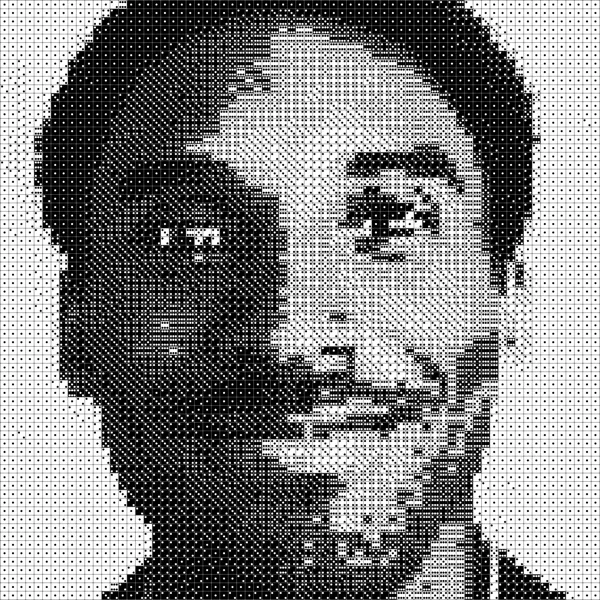
Most dice art is portraiture, because a face still reads at 40 to 60 dice across. Pets, logos and landmarks work the same way. People build them as birthday gifts, like Jeremy did for his nieces, or as tributes, like the Umm Kulthum portrait that started Diceify. The gallery shows the range, from a 51×51 Dalí (2,601 dice) to a 71×71 Kobe Bryant (5,041 dice).
How does a dice art generator work?
A dice art generator turns the photo to grayscale, splits it into a grid with one cell per die, averages each cell into a single brightness value, and picks the die color and face that best match it. Because every cell is averaged, even a low-resolution photo works.
Every die face covers a different amount of its surface with pips. On a black die, more (white) pips read lighter; on a white die, more (black) pips read darker. Lined up by brightness, the two colors give one scale of 12 shades:
Darkest to lightest: black 1, black 2, black 3, black 4, black 5, black 6, white 6, white 5, white 4, white 3, white 2, white 1.
A dice art generator does the matching automatically: upload a photo and it outputs the full grid pattern. Diceify adds three controls. Contrast and brightness move each cell up or down the scale before it is matched to a die. Edge sharpening boosts the difference between neighbouring cells, so outlines survive the downsampling.
Why use both black and white dice?
Even a black die showing 6 is still mostly black, and a white die showing 6 is still mostly white. So black dice alone can't make light tones, and white dice alone can't make dark ones. Together they cover the full range in 12 shades, which is what makes a portrait read clearly.
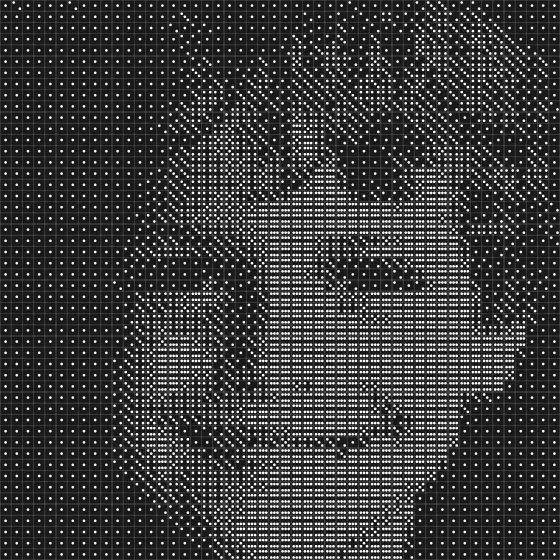
6 shades
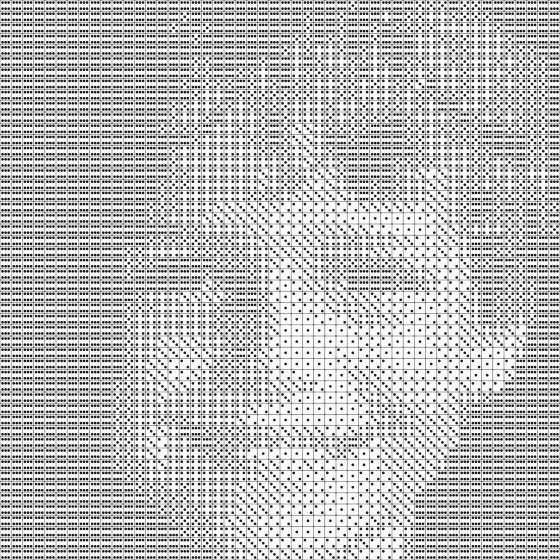
6 shades
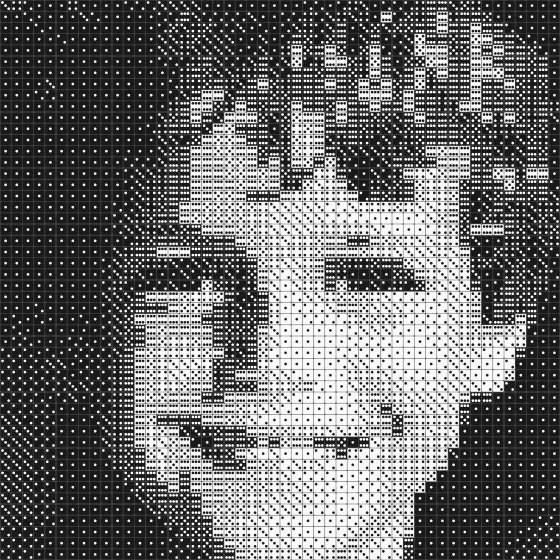
12 shades
Black-only pieces still work, and some people like their moody look. White-only pieces come out pale and washed out.
How many dice do you need, and how big will it be?
Multiply the grid's columns by its rows: a 50×50 portrait uses 2,500 dice. Small portraits use about 400–900 dice (20×20 to 30×30), medium ones 1,600–2,500 (40×40 to 50×50), and large pieces 5,000 or more.
| Grid | Dice | Each side, 16 mm dice | Each side, 12 mm dice |
|---|---|---|---|
| 20×20 | 400 | 32 cm (12.6 in) | 24 cm (9.4 in) |
| 30×30 | 900 | 48 cm (18.9 in) | 36 cm (14.2 in) |
| 40×40 | 1,600 | 64 cm (25.2 in) | 48 cm (18.9 in) |
| 50×50 | 2,500 | 80 cm (31.5 in) | 60 cm (23.6 in) |
| 70×70 | 4,900 | 112 cm (44.1 in) | 84 cm (33.1 in) |
| 100×100 | 10,000 | 160 cm (63.0 in) | 120 cm (47.2 in) |
Multiply the dice per side by the die size: a 50×50 portrait is 80 cm (31.5 in) on each side with standard 16 mm dice, or 60 cm (23.6 in) with 12 mm dice. One square foot holds about 363 dice at 16 mm (645 at 12 mm).
For a photo that isn't square, multiply columns by rows, or use the size calculator for any grid and die size. Diceify grids run from 20 to 120 rows, and the editor shows the exact number of black and white dice as you tune, so you know what to buy.
Weight and dice-cost columns will follow once we have weighed our own dice and recorded dated bulk prices. We would rather publish a measurement than an estimate.
What size dice should you use?
Use 16 mm six-sided dice with pips (dots): it is the standard die size and the easiest to find in bulk. 12 mm dice fit the same grid into a piece three-quarters the width. Buy all the dice from one batch so they match in size and pip style.
- 16 mm is the standard die. A 50×50 portrait comes out at 80 cm (31.5 in) on each side.
- 12 mm packs more detail into the same wall space: the same portrait shrinks to 60 cm (23.6 in).
- Pips, not numerals. The dots are what make the shades; dice printed with numerals don't give a clean scale.
- Buy spares. Bulk packs can include chipped or misprinted dice. The buying guide covers what to check.
How to make dice art (4 steps)
Four steps: pick a photo, generate the pattern, gather the materials, then glue and build. Here is the founder's own build, the piece that led to Diceify:
1. Pick your image
Zoom in tight. The more the subject fills the frame, the more detail you'll get. You don't need a high-res photo; the generator averages pixels anyway.
- Faces work best when cropped close, one person per portrait.
- Contrast matters. Dark hair on a light background (or vice versa) gives clean edges.
- Dramatic lighting helps. Strong shadows make faces pop in dice. More in best photos for dice art.
2. Generate the pattern
Open the editor and upload the photo. Diceify converts it into a dice grid with a live preview. Pick the grid size, then tweak contrast and brightness before committing: small adjustments make a big difference in how readable the final piece is. Note the black and white dice counts it shows.
3. Gather materials
- Dice: black and white six-sided dice with pips, all from one batch, plus some spares.
- A base: a rigid board such as plywood or MDF. Big pieces get heavy; Jeremy backed his plywood with 2×4s so it wouldn't warp.
- Glue: wood glue, epoxy, or a construction adhesive such as Liquid Nails, which Jeremy used.
- A straight edge to keep the rows tight.
4. Glue and build
Either spread glue on the base and press each die in (slower, more control), or lay every die out dry and coat the top with resin or glue (faster, but bubbles or a cloudy coat can ruin the piece). Use a rigid base such as plywood or MDF, and test your adhesive on a small patch first.
That happened on one of our own builds, so test first. Jeremy laid all his dice out dry, then moved them to the board row by row. The glue guide goes through both methods in detail.
Follow the pattern row by row. Diceify's step-by-step builder highlights your current position and tells you exactly which die to place next, so you can start building without printing anything.
What do you need to buy?
You need black and white 16 mm dice with pips (the generator tells you how many of each), a rigid board such as plywood or MDF cut to the finished size, glue, a straight edge, and a frame or hanging hardware that suits the weight.
- Dice, by count. Columns × rows, split into black and white. The editor shows both numbers for your exact photo and settings, so open the editor before you order. Add a handful of spares.
- 16 mm, pips not numerals, one batch per colour. Mixed batches differ in size and pip style and the grid shows it. See buying dice for dice art.
- A board. Plywood or MDF cut to the finished size from the table above, plus any frame lip.
- Glue. Wood glue, epoxy or construction adhesive; see glue and build above and the glue guide.
- A straight edge and a pencil to grid the board and keep rows tight.
- Frame and hanging hardware that suit the finished weight; see framing and hanging below.
How long does dice art take to build?
A small 20×20 portrait (400 dice) takes 2–4 hours. A 40×40 piece (1,600 dice) takes roughly a full day of placing with the builder. The whole project can take far longer once you count testing photos, building a frame and gluing: Jeremy's two 1,645-dice portraits took 100+ hours each.
The placing itself goes faster with a guide that tracks your position. Diceify's builder zooms in on the current row, tells you how many dice of the same face to place in a run, and remembers where you stopped between sessions. Set aside more time for the parts no tool speeds up: choosing and testing photos, cutting the board, and letting glue cure.
How do you frame, seal and hang dice art?
Mount the dice on a rigid board, not on canvas or foam. If you want a frame, use a shadow box or a wooden edge at least as deep as the die plus the board. Hang from the board with a French cleat or D-rings rated for at least twice the piece's weight. Sealing is optional. Dust with a soft brush.
- Board. Pick one that doesn't flex when you hold it by one edge. The larger the piece, the thicker the board, and for big pieces brace the back with battens the way Jeremy did with 2×4s. Canvas, foam board and hardboard sag under the weight.
- Frame. Dice stand proud of the board, so a normal picture frame is too shallow. Use a shadow box or a simple wooden edge whose depth is the die height plus the board thickness plus a little clearance. Glass is optional; dice are easy to dust.
- Hanging. Hang from the board, not from the frame. Use a French cleat or two D-rings and wire, each rated for at least twice the finished weight. Fix them into a stud or a masonry anchor, not plain drywall. Weight grows with the dice count, so a 100×100 piece needs hardware in a different class from a 30×30.
- Sealing. Dice don't need sealing. A clear coat adds shine but can cloud or trap bubbles, which is what went wrong on our own build. If you want a coat, test it on spare dice first.
- Dusting. Pips trap dust. A soft brush or a dry microfibre cloth every few weeks is enough; avoid wet cleaning near the glue line.
What you get from Diceify
Free: a full live preview, the exact black and white dice counts, a shareable link with a social card (after a free sign-in), and the first 5 rows of the step-by-step builder. Paid plans unlock unlimited builder rows and a full-resolution SVG blueprint: the Creator pass ($19 for 30 days) or Studio ($9/month or $36/year). There is no PDF export today.
- Free (Explorer): upload any photo, tune the grid with a full live preview, read off the exact black and white dice counts, share a link with a social card once signed in, and use the builder for the first 5 rows. Sign in (free) to save projects to your account and open them on another device. No account is needed to try it.
- Creator pass ($19, 30 days) and Studio ($9/month or $36/year): unlimited builder rows and a full-resolution SVG blueprint of the whole grid. The SVG opens in any browser or vector app and prints at any size.
- Not yet: there is no PDF export today. If you need paper, print the SVG. See how this compares with other tools in best dice art generators.
Dice art examples
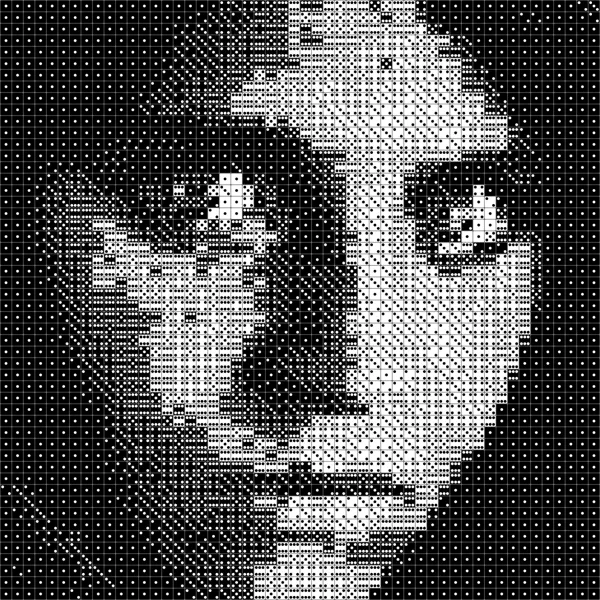
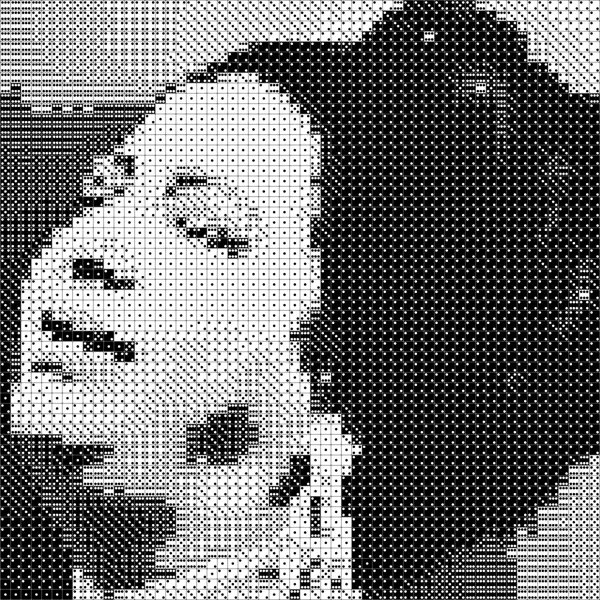
Here are some dice portrait patterns generated with Diceify. Each shows the grid size in its name; the dice count is the grid's columns times rows:
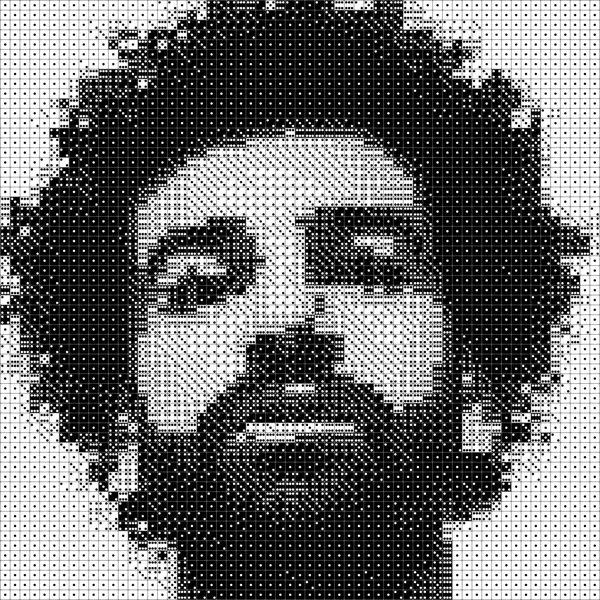
More patterns, with their grids and dice counts, in the dice art gallery. For photos of real builds, see the founder's story and Jeremy's portraits.
FAQ
Where can I buy dice in bulk?
Amazon, gaming supply stores, and educational supply stores all sell packs of 100–1,000. Get uniform 16 mm dice: they give the cleanest grid.
Do I need a high-resolution photo?
No. The generator averages a block of pixels into each die, so a low-resolution or slightly blurry photo works fine. What matters is the crop: one face filling the frame, with clear contrast between the subject and the background.
How do you glue dice art?
Either spread glue on the base and press each die in (slower, more control), or lay every die out dry and coat the top with resin or glue (faster, but bubbles or a cloudy coat can ruin the piece). Use a rigid base such as plywood or MDF, and test your adhesive on a small patch first.
What's the difference between dice art and pixel art?
Both are grid-based. Pixel art uses colored squares (unlimited colors). Dice art uses six-sided dice (up to 12 shades) and has a physical, three-dimensional quality you can't get with flat media.
Ready to create your own dice art?
Upload a photo and see it transformed into a buildable dice pattern. Free, no account required.
Start creatingGo deeper
- Dice art size calculator — dice count and finished size for any grid and die size.
- Buying dice for dice art — what to look for, how many spares, where to buy.
- How to glue dice art — adhesives, both methods, and the mistakes to avoid.
- Best photos for dice art — crop, contrast and lighting that survive the grid.
- Dice art gallery — portraits and mosaics generated with Diceify.
- Why I built Diceify — the Umm Kulthum build, the resin mistake, and the tool that came out of it.
- How Jeremy made dice portraits for his nieces — two 1,645-dice builds, 100+ hours each.
- Best dice art generators compared — seven tools compared feature by feature, and why Diceify comes out on top.
- About Diceify — who makes it and how the algorithm works.
Written by John Mikhail, who built the Umm Kulthum portrait above and then built Diceify. Size figures use 363 dice per square foot at 16 mm and 645 at 12 mm.